
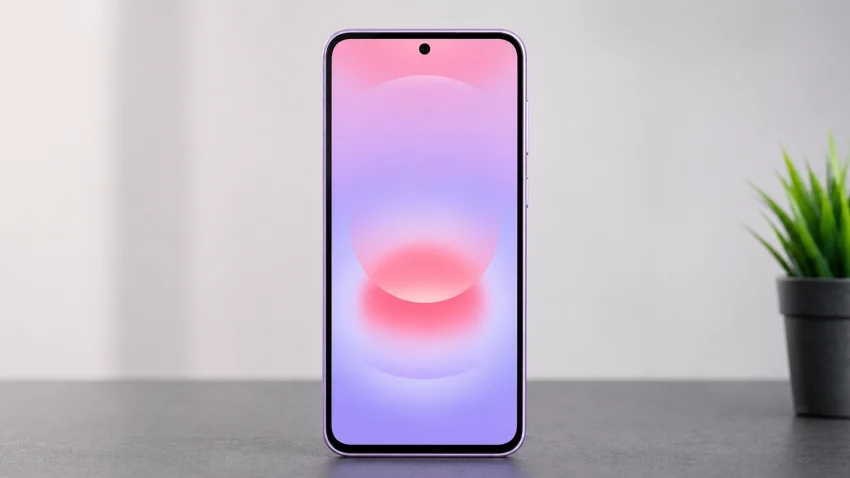
The Samsung Galaxy A37 is a feature-packed mid-range phone, but like any device, it can still run into everyday problems with battery drain, overheating, slow charging, 5G connection, Wi-Fi, camera quality, fingerprint unlocking, storage, notifications, and One UI settings.
This hub brings those common Galaxy A37 issues into one place, with clear troubleshooting guides, setup tips, feature explanations, and practical fixes to help you understand what is happening, what to check first, and when a problem may need deeper support.
Battery and Charging Problems
- Why Is the Battery Draining So Fast?
- How to Fix Fast Battery Drain After a One UI Update
- Why the Phone Gets Hot During Normal Use
- What to Do When the Phone Overheats While Charging
- Why 45W Fast Charging Is Not Working
- How to Fix Slow Charging With a Compatible Samsung Charger
- Why the Battery Drops Quickly Even With 5G Turned Off
- How to Reduce Battery Drain From Background Apps
- Why the Phone Gets Warm During WhatsApp Video Calls
- Best Battery Settings to Change After Setup
- Should You Use Power Saving Mode All Day?
- Why the Battery Percentage Drops Too Quickly Overnight
Performance and One UI Problems
- Why the Phone Feels Slow After a Software Update
- How to Fix Lag and Stuttering in One UI
- What to Do When Apps Take Too Long to Open
- Why the Phone Freezes During Everyday Use
- How to Improve Performance Without Factory Resetting
- Why Animations Feel Choppy on a 120Hz Display
- How to Fix App Crashes After a One UI Update
- What to Do When the Phone Becomes Slow Below 10% Battery
- Should You Clear the Cache Partition After an Update?
- How to Use Device Care to Improve Speed
Overheating Problems
- Why the Phone Gets Hot Even When You Are Not Gaming
- How to Stop Overheating During Video Calls
- Why Instagram or Social Apps May Make the Phone Warm
- How to Cool Down the Phone While Charging
- What to Do When Heat Affects Performance
- Is It Normal for the Phone to Get Warm During Setup?
- How to Check Which Apps Are Causing Heat
- Why Overheating Happens After a System Update
- When Overheating Means You Should Contact Samsung Support
Camera and Photo Quality Problems
- Why Photos Look Blurry or Soft
- How to Fix Camera Focus Problems
- Why Photos Look Washed Out or Too White
- Best Camera Settings for Sharper Photos
- How to Use the 50MP Camera Mode Properly
- Why Night Photos Look Noisy
- How to Take Better Photos of Moving Subjects
- Why the Camera Looks Worse Inside Social Media Apps
- How to Fix a Black Screen in the Camera App
- Why the Selfie Camera Looks Overprocessed
- How to Reset Camera Settings Without Deleting Photos
- Why the Ultrawide Camera Looks Softer Than the Main Camera
Video Recording Problems
- Best Video Settings for Clearer Recording
- Should You Record in 4K or 1080p 60fps?
- Why Videos Look Shaky Even With Stabilization
- How to Reduce Video File Sizes
- Why TikTok or Instagram Videos Look Blurry
- How to Fix Missing Audio in Recorded Videos
- Why Low-Light Videos Look Grainy
- How to Record Better Selfie Videos
- Why HDR Selfie Video Looks Different After Uploading
Fingerprint and Security Problems
- Why the Fingerprint Sensor Is Not Working
- How to Fix Slow Fingerprint Recognition
- Why the Sensor Fails After Applying a Screen Protector
- How to Re-Register Fingerprints for Better Accuracy
- What to Do When the Fingerprint Sensor Stops Responding
- Why Unlocking Takes Multiple Tries
- How to Set Up Face Unlock as a Backup
- How to Use Secure Folder Properly
- What to Do If You Forget Your Lock Screen Password
Mobile Data, 5G, and SIM Problems
- Why 5G Is Not Showing
- How to Fix Mobile Data Not Working
- Why the Phone Connects to LTE Instead of 5G
- How to Fix No Service or Emergency Calls Only
- Why 4G or 5G Stopped Working After an Update
- How to Reset APN Settings
- How to Set Up Dual SIM and eSIM Correctly
- Why One SIM Works but the Other Does Not
- How to Fix Slow Mobile Internet
- What to Do When Calls Work but Data Does Not
Wi-Fi, Bluetooth, and Hotspot Problems
- Why Wi-Fi Connects but Has No Internet
- How to Fix Slow Wi-Fi Speeds
- Why Wi-Fi Keeps Disconnecting
- How to Fix Bluetooth Pairing Problems
- Why Galaxy Buds Keep Disconnecting
- How to Fix Mobile Hotspot Not Working
- Why Wi-Fi Calling Is Not Working
- How to Reset Network Settings
- Why Bluetooth Audio Has Delay
- How to Fix Nearby Share or Quick Share Problems
Storage and File Management Problems
- Is 128GB Enough Without a microSD Card?
- How to Free Up Storage Without Deleting Important Files
- Why System Storage Is Taking Too Much Space
- How to Move Files to a USB-C Flash Drive
- How to Use USB OTG for File Transfers
- Why Smart Switch Fails During Data Transfer
- How to Find and Delete Duplicate Photos
- How to Clear App Cache Safely
- Best Cloud Backup Options for Photos and Videos
- What to Delete First When Storage Is Full
Display and Screen Problems
- Why the Screen Looks Too Dim Outdoors
- How to Fix Screen Flickering
- Why the 120Hz Display Does Not Feel Smooth
- How to Change Motion Smoothness Settings
- What to Do If a Green Line Appears on the Screen
- How to Fix Touch Delay or Missed Touches
- Why the Screen Turns Off During Calls
- How to Fix Accidental Touches
- Best Display Settings for Battery Life
- How to Protect the AMOLED Screen From Burn-In
Calling, Messages, and Notifications
- Why Text Messages Are Not Sending
- How to Fix RCS Chat Problems
- Why MMS Photos Are Not Downloading
- How to Fix Delayed Message Notifications
- Why Calls Go Straight to Voicemail
- How to Fix Poor Call Quality
- Why the Microphone Does Not Work During Calls
- How to Fix WhatsApp Notifications Not Showing
- Why Messenger Bubbles Are Not Working
- How to Fix Notification Sounds Not Playing
Samsung Wallet, NFC, and Payment Problems
- Why NFC Is Missing or Not Available
- How to Fix Samsung Wallet Not Working
- Why Google Wallet Tap to Pay Fails
- How to Check If Your Region Supports NFC Payments
- Why a Payment Card Cannot Be Added
- How to Turn On NFC for Contactless Payments
- Why Transit Cards Do Not Work
- Samsung Wallet vs Google Wallet: Which Should You Use?
Gaming and Graphics Performance
- How Well Does It Run Mobile Legends?
- Best Settings for PUBG Mobile
- Best Settings for Genshin Impact
- Why Games Lag After a Few Minutes
- How to Reduce Heat While Gaming
- Why FPS Drops During Long Sessions
- How to Use Game Booster Properly
- Is the Exynos 1480 Good Enough for Gaming?
- Should You Buy the 8GB or 12GB RAM Version for Gaming?
Smart Switch, Setup, and Data Transfer
- How to Transfer Data From an Old Samsung Phone
- How to Move Photos, Contacts, and Messages With Smart Switch
- Why Smart Switch Gets Stuck
- How to Transfer WhatsApp Chats
- What to Do Before Selling Your Old Phone
- Best Settings to Change After Setup
- How to Set Up Samsung Account and Google Account
- How to Restore Apps Without Bringing Old Problems Back
One UI 8.5 Features and Settings
- Best One UI 8.5 Settings to Change First
- How to Customize the Quick Settings Panel
- How to Use Modes and Routines
- How to Set Up Always On Display
- How to Use Split Screen and Pop-Up View
- How to Customize the Lock Screen
- How to Turn Off Unwanted Samsung Apps
- How to Improve Privacy Settings
- How to Make the Phone Feel Faster
- Hidden One UI Features Worth Using
Camera AI and Editing Features
- How to Use Object Eraser
- Why Object Eraser Is Missing
- How to Remove People or Objects From Photos
- How to Improve Photos With Edit Suggestions
- Best AI Photo Editing Features to Try First
- Why AI Editing Results Look Unnatural
- How to Compare Original and Edited Photos
Water Resistance and Durability
- Is the Phone Really Waterproof?
- What IP68 Actually Means
- What to Do After Dropping the Phone in Water
- Why a Moisture Detected Warning Appears
- How to Dry the USB-C Port Safely
- Can You Charge the Phone After It Gets Wet?
- Does Water Damage Void the Warranty?
Accessories and Missing Features
- Does It Have a Headphone Jack?
- Best USB-C Earphones and Adapters to Use
- Why Wired Earphones Are Not Working
- Does It Support microSD Cards?
- Best Chargers for 45W Fast Charging
- Does It Come With a Charger in the Box?
- Best Screen Protectors for the Fingerprint Sensor
- Best Cases That Do Not Block the Camera
FAQ
What are the most common Samsung Galaxy A37 problems to watch for?
The most likely problems are fast battery drain, overheating, slow charging, camera focus issues, weak social media camera quality, fingerprint sensor problems, 5G or mobile data issues, Wi-Fi disconnections, app crashes after updates, and storage getting full. These are based on common complaints from previous Galaxy A-series models.
Is the Samsung Galaxy A37 battery drain normal?
Some battery drain is normal during the first few days because the phone is still learning your usage, syncing apps, downloading updates, and restoring data. If the battery still drains quickly after a week, check background apps, screen brightness, 5G usage, Always On Display, location access, and apps using too much power.
Should I buy the 128GB or 256GB Samsung Galaxy A37?
The 256GB version is the safer choice because the Galaxy A37 does not have a microSD card slot. The 128GB model can work if you mostly stream content, use cloud storage, and do not record many 4K videos. But for gaming, photos, videos, and long-term use, 256GB is the better pick.